 Robutech
Your PC sleeps only when you decide
NoSleep stops your Windows PC from going to standby or locking the screen with a single click. It suits anyone who wants to keep downloads running, presentations active, or meeting status set to available.
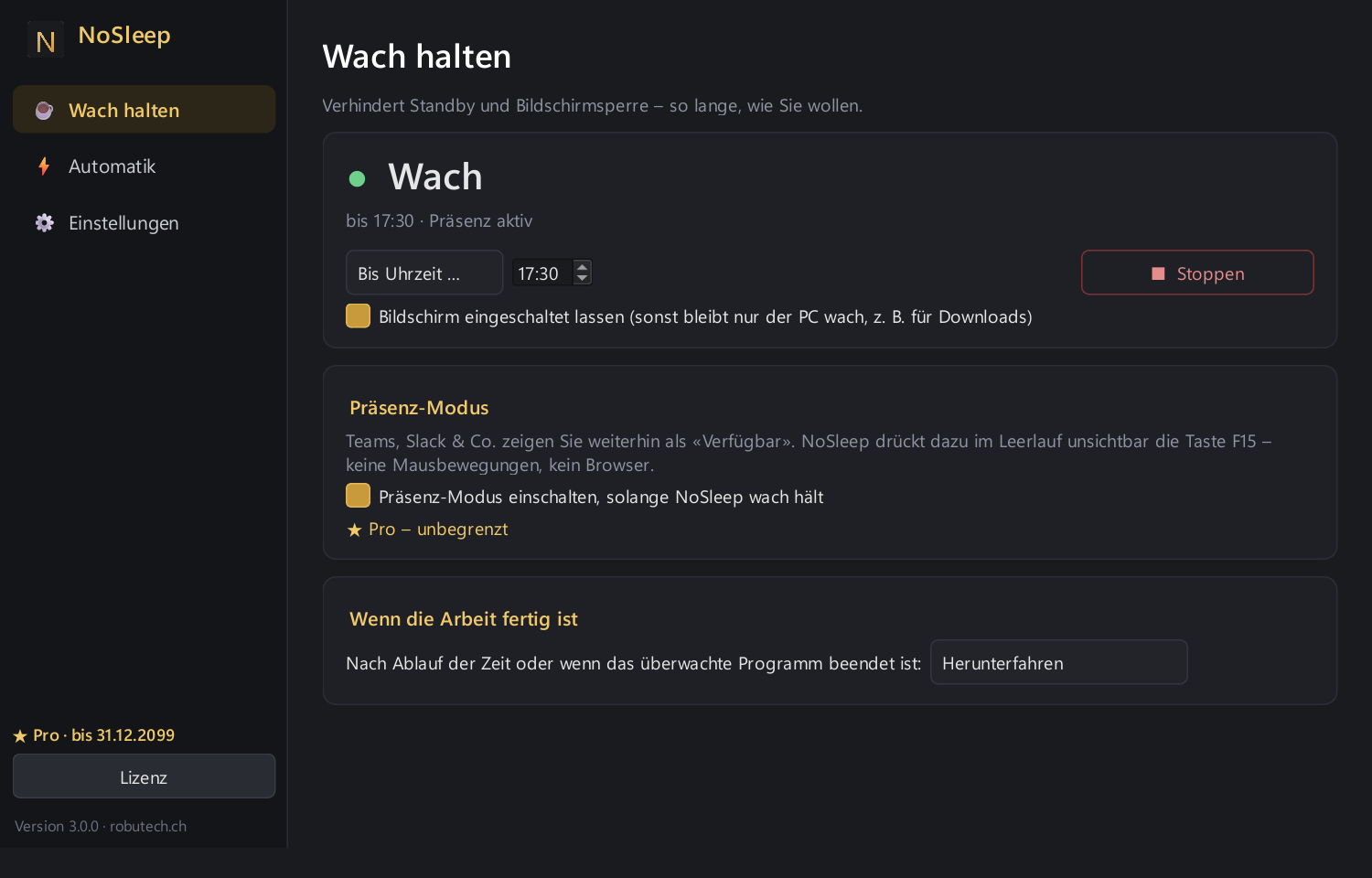
Stops standby and screen lock indefinitely, for a set time, or until a chosen time.
Choose whether only the PC stays awake or the screen stays on as well.
Stay shown as «Available» in Teams & co. for up to 8 hours free of charge.
See it in action
Click an image to enlarge it.
Start free, go Pro when it pays off
The free version stays free and unlimited. Pro is worth it if you want to keep your status active permanently, have the PC react automatically once a task finishes, or use a fixed schedule.
Free
- Keep awake with one clickNo standby, no screen lock – unlimited, for 30 minutes to 8 hours, or until a chosen time.
- Screen on or offChoose to keep only the PC awake (e.g. for downloads) or the screen as well.
- In the notification areaStart, stop, and set duration via the icon next to the clock – gold means awake.
- AutostartLaunches with Windows on request and continues where you left off.
- Try presence modeTry it free for 8 hours: Teams & co. keep showing you as «Available».
- No admin rights neededUses Windows’ power-management interface – no browser tricks, no drivers.
ProRecommended
Licence per PC – a new PC requires a new licence.
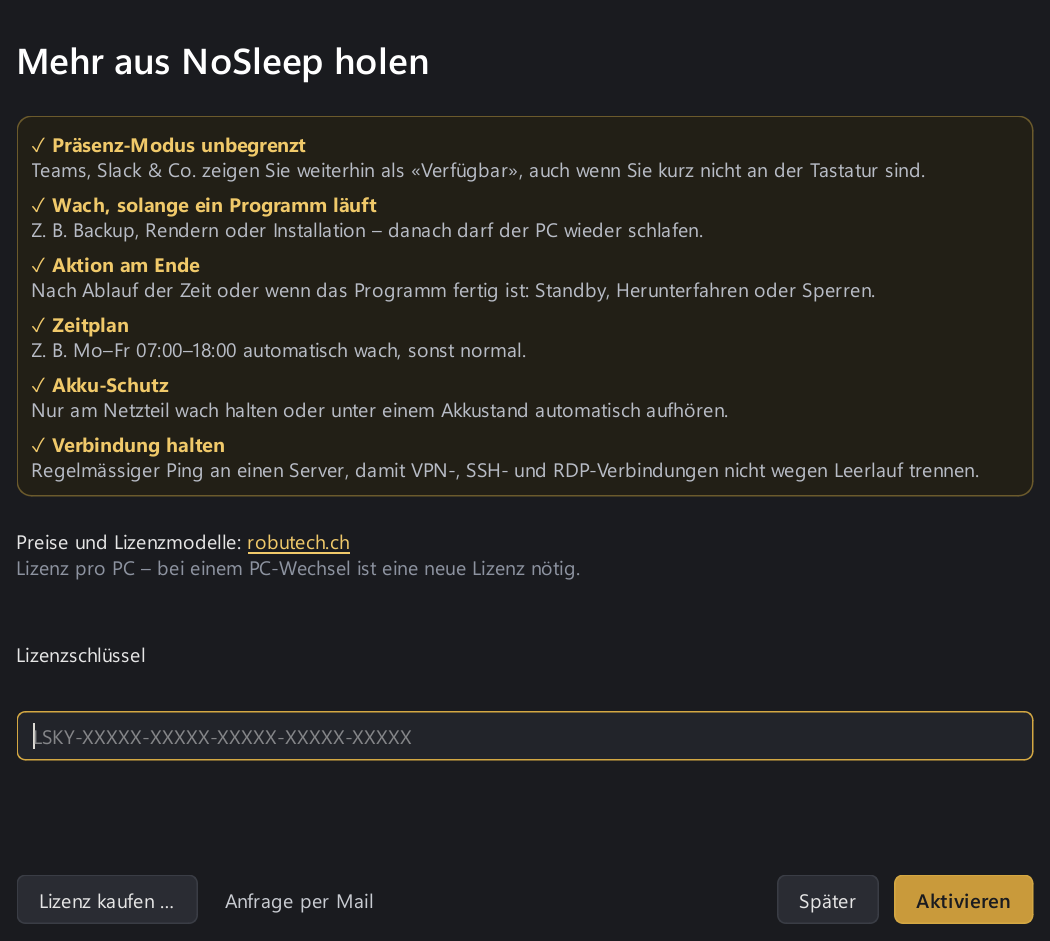
- Presence mode unlimitedTeams, Slack & co. keep showing you as «Available», even when you’re briefly away from the keyboard.
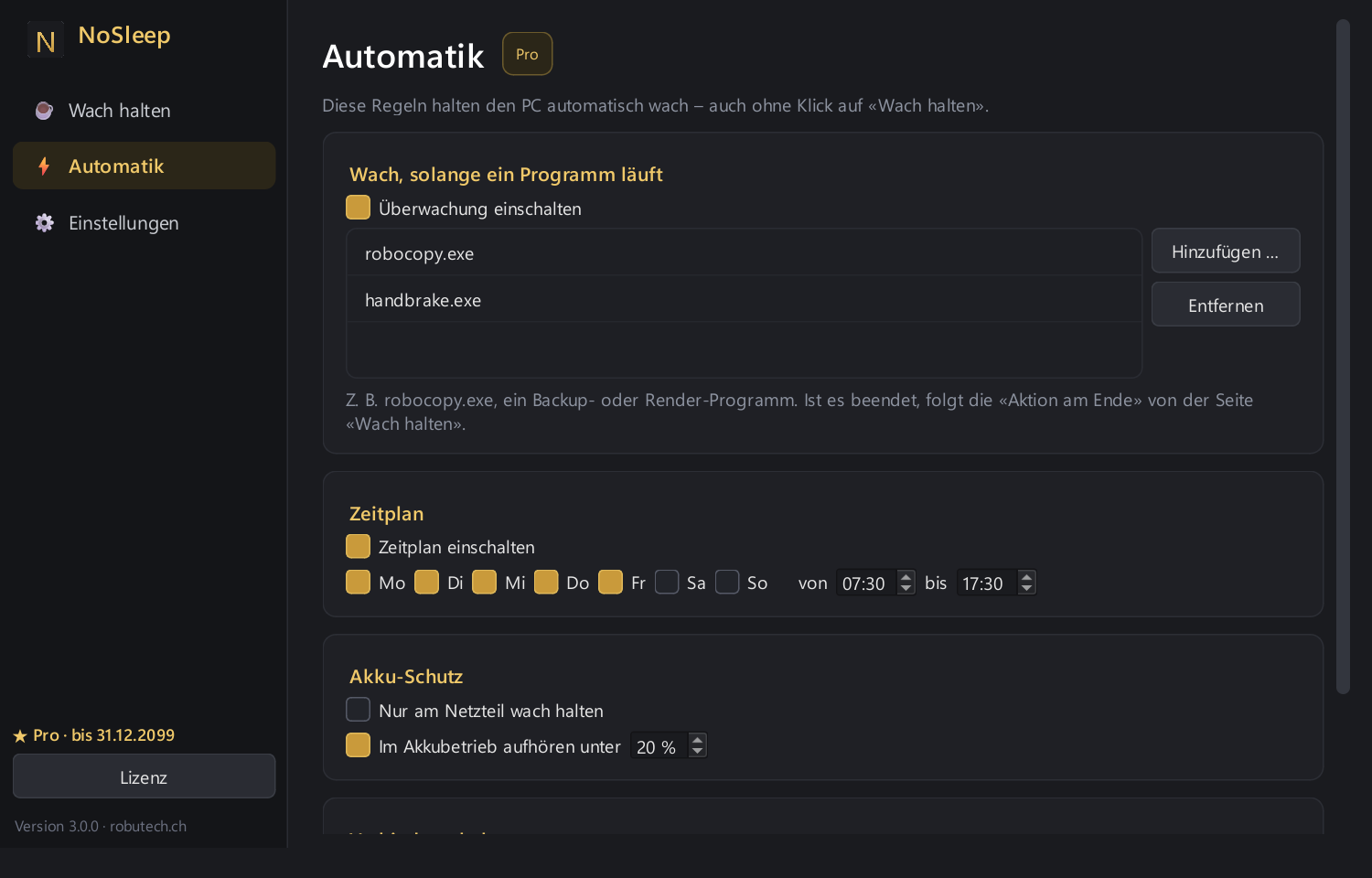
- Awake while a programme runsE.g. backup, rendering, or installation – afterwards the PC can sleep again.
- Action at the endOnce the time is up or the programme finishes: standby, shutdown, or lock.
- ScheduleE.g. automatically awake Mon–Fri 07:00–18:00, otherwise normal.
- Battery protectionKeep awake only on mains power or stop automatically below a set battery level.
- Keep connection aliveRegular ping to a server so VPN, SSH, and RDP connections don’t drop due to idling.
Download version 3.0.0
- Version
- 3.0.0
- Released
- 27.09.2026
- Size
- 47.7 MB
- System
- Windows 10/11, 64-bit
- SHA-256
28823c20f7f69202c5f822d50db377a9b982c16340865b770df2fb124c5d5718
Windows shows a warning?
The installer is not (yet) digitally signed. In the blue SmartScreen window, click “More info” and then “Run anyway”. The checksum above confirms the file is unchanged.
What’s new
- Completely redeveloped: modern interface, controlled via the icon in the notification area
- Presence mode without a browser – try it free for 8 hours
- New in Pro: programme monitoring, schedule, battery protection, keep connection alive, and end-of-session action
Frequently asked questions
How much does Pro cost?
Monthly subscription: CHF 5.– per month – 1-month term, renewable · all updates included. Annual subscription: CHF 50.– per year – 1-year term, renewable · all updates included. Licence per PC – a new PC requires a new licence.
How do I get and activate Pro?
Request a licence via «Order a Pro licence» by email. You will receive a licence key; enter it in the app under «★ Pro freischalten» and Pro is active immediately.
Is the free version time-limited?
No, core features such as keeping the PC awake are unlimited; only presence mode can be tried free for 8 hours.
Where is my data stored?
NoSleep runs locally on your PC via the Windows power-management interface, sending no data to external servers – except for the optional ping used by Pro’s connection-keeping feature.
Do I need admin rights?
No, NoSleep uses the standard Windows power-management interface and works without admin rights, browser tricks, or extra drivers.
What does Pro add?
Pro keeps your status active permanently in Teams & co. and adds automation such as programme monitoring, scheduling, battery protection, and an end-of-session action.
Get in touch
Questions about the tool or feedback? Briefly describe your request.